
Affordable Photographer Website Design and Marketing
Plan a photography website with useful portfolios, clear session enquiries, fast images and marketing that fits an independent photographer's budget.
The quick read
Start with the essential answers.
What should a photographer website show first?+
Show the photography services you actually offer, a relevant selection of permission-cleared work and a clear route to discuss a session or commission. Add practical information that helps a visitor assess fit.
Should all photography images go on the homepage?+
We recommend a focused selection on the homepage and separate galleries when they support different client decisions. Avoid making visitors browse unrelated work before finding the service they need.
Does an enquiry form confirm a photo session?+
Only if the business's actual booking process does so. If the photographer must review the brief and availability, label the form as an enquiry and explain the next step.
Build for the commission rather than the gallery alone
An affordable photographer website should show relevant work and help a visitor understand how to commission it. We recommend treating image selection, service explanation and enquiry handling as one connected task.
Begin with the work you actually want to accept. Portraits, business commissions, events and other services may need different information. Do not let a broad gallery make a visitor guess which requests are welcome.
Write the first decision in plain language. Can the visitor tell whether you photograph the subject they need, work in the appropriate location and accept the kind of commission they have in mind? If not, add clarity before adding more photographs.
This guide offers planning recommendations for independent photography businesses. It does not invent session prices, client results or a preferred portfolio size. The intended outcome is a scope you can discuss with a website provider using your own verified offer.
Organize the portfolio around meaningful client choices
Choose galleries because they answer different questions. A business seeking staff portraits should not have to work through unrelated event imagery to understand your approach. Group work in a way that reflects real services rather than every creative experiment.
Give each gallery a short introduction. Describe the service, what the visitor is looking at and how to enquire. The text should support the photographs, not narrate every visual detail or repeat a search phrase.
Select images for relevance and permission. There is no universal number asserted here. Start with work that supports the service you want to discuss and remove images that introduce an offer you no longer provide.
Review the sequence on a phone. Does the first screen communicate the subject? Can someone reach the session information without opening every image? Is the contact route visible after they have seen enough to make a decision?
Keep an archive separate from the first impression. If you want to show a broader body of work, give it a clear place without making it the required route to enquiry. The website should help the client navigate your practice, not reproduce an entire storage folder.
Explain the service behind the photographs
For each service, describe what a commission involves at the level a prospective client needs. State how the initial brief is discussed, what information you need and which decisions are settled before a booking.
Avoid assuming that a visitor understands your shorthand. Explain package terms, session scope and deliverables using approved business information. Do not let a website template supply details about editing, delivery or usage that you have not agreed.
Separate creative direction from the logistics of a session. Someone may appreciate your style and still need to know whether you work on location, what preparation is expected and how the proposed date is reviewed. Answer those questions beside the relevant gallery.
If the service includes optional additions, identify them as optional. A page should not appear to include styling, location hire, prints or other items when those are separately arranged. Publish only the actual offer.
Align the website with your approved terms. This guide is not a legal explanation of image licensing, copyright or releases. Have appropriate advice inform the wording where those issues matter to your commissions.
Prepare images for the viewing experience
Keep source files separately from web delivery files. Ask the provider to explain how website versions are prepared and displayed at different sizes. The client-facing gallery does not need to serve the same asset you preserve for production.
Google's image SEO guidance recommends descriptive filenames, useful alt text and relevant surrounding content. It also discusses responsive image delivery and balancing quality with page speed.
Apply those principles to the image itself. A filename should describe the content where practical. Alt text should convey relevant visible information, not claim an award, client identity or location that is not established.
Do not use compression as an excuse to make important work unreadable. Inspect the output at the size visitors actually see. Check edges, texture and skin detail, then compare the viewing experience on a phone and a larger screen.
Avoid making a visitor load an entire large archive before reaching the page. Ask how initial images, later gallery images and full-size viewing are handled. Request a demonstration with your real selection instead of relying on a polished sample gallery.
The provider should also explain what happens when you replace an image. Can you supply a normal approved file and obtain the correct website versions? Who maintains captions and alternative text? Include that ordinary workflow in the handover.
Keep portfolio evidence honest
Publish only material you have an appropriate basis to show. Maintain records of the source and publication permission. Do not infer permission from possession of a file or from its appearance on another website.
Explain your role where collaborators were involved. If the work was a personal project, styled concept or collaborative shoot, label it accordingly. Avoid implying a paid client commission when the record establishes something different.
Use client names and testimonials only when verified and approved. Do not invent a business, event date or quotation to make a gallery page look complete. A short factual description is better than an impressive but unsupported story.
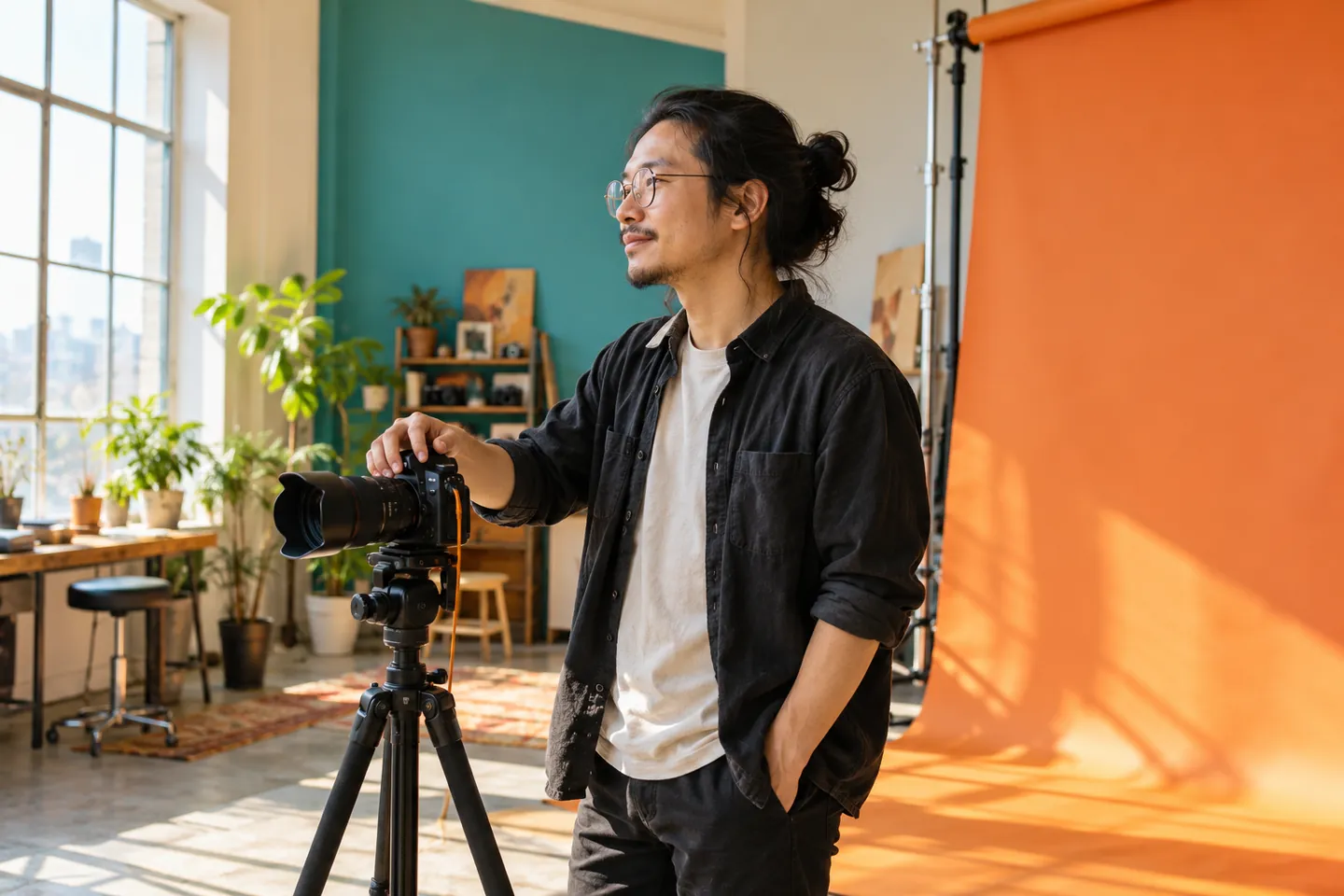
The cover of this article is an AI-generated editorial illustration. It is not a portrait of a Brands Essential client or evidence of a photography commission. Keep that distinction whenever generated imagery appears beside actual work.
If you publish AI-assisted creative experiments, give them a distinct context. Do not mix them into client galleries in a way that changes the visitor's understanding of what was photographed. The point is transparent presentation, not an unsupported claim about universal industry rules.
Design a useful session or commission enquiry
Start with the information you need to respond. Consider service type, proposed date, broad location, the intended purpose and contact details. Decide which questions genuinely change your first conversation.
For a business commission, a short explanation of intended use may help frame the discussion. For another service, the priority may be timing and session format. The form should reflect your process rather than collect every possible detail.
Allow a visitor to describe uncertainty. If they do not yet know the location or final scope, let them say so. A rigid form can force inaccurate selections that make your response harder.
Do not ask for unnecessary personal documents or sensitive material in a public marketing form. Explain the purpose of any upload and provide an alternative contact route. Later production information can follow through the business's approved process.
State whether the submission requests availability or confirms a booking. Use consistent wording on the button, confirmation and message received by the photographer. Do not label a form as a booking if you still need to assess the brief.
Test with sample enquiries. Check which service is recorded, whether replies reach the right person and whether the confirmation describes the next step accurately. Test the phone and email links separately from the form.
Discuss price without an incomplete promise
If you publish prices, explain the scope they apply to and the conditions the business has approved. Identify optional items and work that needs a separate proposal. Do not invent a typical industry rate to make the page seem more informative.
If the price depends on the brief, explain how the discussion begins. A client should know what information to bring and whether an introductory conversation has a fee. Avoid hiding the service behind an unexplained contact button.
Separate the photography fee from other project spending where appropriate to your offer. Do not let a package description imply that every production expense or third-party service is included unless it actually is.
Review delivery wording as carefully as pricing. Publish only timelines and formats your process supports. If you state a turnaround commitment, assign someone to keep it accurate as workload changes.
For the website budget, compare copy, gallery design, image preparation, forms, testing and handover separately. Identify subscriptions and support outside the launch cost. The website project planner can help prepare the questions.
Choose a first release you can update
We recommend beginning with the main service pages, focused galleries, an accurate introduction and a tested enquiry route. Add practical FAQs instead of commissioning a large editorial library before the core journey works.
Ask the provider to show how you add a gallery or remove an image. Check whether captions, image descriptions and service links can be updated in the same process. A site you cannot maintain may leave obsolete offers visible.
Treat private client delivery as a separate requirement. A proofing gallery, downloads, payments or restricted access may involve different tools and responsibilities. Do not assume those functions are included in a public portfolio quote.
Describe what you need now and what can wait. If an existing approved tool handles client delivery satisfactorily, examine the integration before replacing it. Commission a new system only for a defined need.
Use our website development brief guide to write the scope in terms of real tasks. Include the ordinary updates you expect to perform, not just the visual style you admire.
Make SEO and AEO match the service
Write titles and headings that identify actual photography services. Describe genuine locations and working arrangements without implying a studio or branch you do not operate. Keep each page distinct because its content serves a distinct decision.
Google's Business Profile guidelines emphasize accurate real-world identity and location or service-area information. Check the rules against your actual operation rather than assume every photographer has the same profile setup.
For direct answers, address the question and its conditions together. Explain how a date is assessed, what a package includes and how a commission starts. Do not compress an uncertain quote into an apparently fixed promise.
Google's AI search documentation says established SEO practices apply and does not guarantee inclusion. Treat AEO as clear, useful communication rather than a promise to appear in every assistant response.
For future content, choose a topic you can explain from your actual process. Preparing a brief, selecting relevant portfolio work or understanding session arrangements can help prospective clients. Avoid publishing generic advice solely to reach a word count.
Use AI for approved material and human review
Consider AI for organizing session notes intended for public use, drafting an FAQ or suggesting a service-page outline. Keep confidential client material out of the workflow unless an appropriate approved process exists.
Check drafts against your offer. Remove invented production capabilities, location access, awards, clients and delivery promises. Do not let a writing tool determine what is included in your package.
A useful approval checklist names the source for each business detail. The person responsible for the photography service should approve the final wording and images. A second read for tone does not replace checking the facts.
For social adaptations, preserve the meaning of the original page. A shorter post should not transform a conditional offer into a universal one. Link to the full explanation where the scope matters.
Build ongoing marketing around relevant work
Choose the service you want to promote and a gallery that supports it. Make sure the page explains the commission before sending traffic to it. A visually appealing post is only the beginning of the customer journey.
Use social content to introduce a genuine piece of work or an approved process explanation. Link to the matching service instead of always sending people to a broad homepage. Keep the message and destination consistent.
Track the questions that still arrive after someone views the site. If enquiries concern the wrong service, revisit gallery emphasis and wording. If people misunderstand deliverables, improve the explanation before increasing promotion.
Review suitable enquiries rather than rely on traffic alone. Record whether the request fits your work, whether the next step was understood and what information was missing. This is a proposed improvement process, not evidence of a guaranteed sales result.
Check one portfolio journey from beginning to end
Before launch, choose one service you actually sell and follow its journey as a prospective client. Begin on the homepage, open the relevant portfolio and then reach the enquiry. At each stage, check whether the photographs and wording still describe the same commission.
Look for a mismatch between visual style and service scope. A gallery might show a broad creative production while the current offer covers a narrower session. If so, provide context rather than rely on the visitor to infer what is included. The portfolio should help the enquiry conversation, not introduce assumptions that later need to be corrected.
Review the gallery on a small screen. Check that the selected crops still communicate the intended subject and that controls are usable. Inspect the actual pages rather than only approve a desktop design file. If a prominent crop cuts away important context, choose another crop or a different image for that position.
Test the enquiry with a tentative date and an incomplete brief if you accept those requests. Confirm that the form allows the client to explain uncertainty. Check the notification and acknowledgement together: neither should imply that a session has been reserved when the request still needs review.
Then rehearse an update. Replace a portfolio image, adjust its approved caption and check the published page. Ask the provider to show the complete process, including preparation of the new file. If the owner cannot repeat it, simplify the workflow or define the support needed before handover.
Keep your public portfolio separate from private delivery
Write down which material belongs on the marketing site and which is delivered privately to clients. A public gallery and a client delivery service have different purposes. Do not add a private delivery feature until you have defined the access, support and handling process it needs.
If you already use a suitable delivery tool, consider keeping it separate from the launch website. Explain any necessary link clearly without turning a visitor's enquiry into an account-registration requirement. A public service explanation should remain accessible to someone who has not yet become a client.
When a commission is completed, review publication permission before adding its images to the portfolio. Delivery to a client should not automatically trigger public upload. Include that distinction in the update checklist so the website remains manageable as new work arrives.
Ask for a practical and affordable plan
Bring your service list, approved portfolio, existing tools and budget to the provider conversation. Ask what must be ready for launch and what can be added later without rebuilding the site.
Confirm ownership of the domain, public content and accounts. Request access instructions, a maintenance demonstration and clear recurring charges. Ask which changes you can make yourself and which require assistance.
If you would like to discuss a site that supports your photography offer without unnecessary complexity, contact Brands Essential. Request a scope that connects the portfolio, service information and enquiry flow, with ongoing marketing priced separately from the first website.
Sources and references
- Google Search Central, Google image SEO best practices, updated March 2, 2026; checked October 11, 2026.
- Google Business Profile Help, Guidelines for representing your business on Google, checked October 11, 2026.
- Google Search Central, AI features and your website, updated December 10, 2025; checked October 11, 2026.
Frequently asked questions
Questions, answered
What should a photographer website show first?
Show the photography services you actually offer, a relevant selection of permission-cleared work and a clear route to discuss a session or commission. Add practical information that helps a visitor assess fit.
Should all photography images go on the homepage?
We recommend a focused selection on the homepage and separate galleries when they support different client decisions. Avoid making visitors browse unrelated work before finding the service they need.
Does an enquiry form confirm a photo session?
Only if the business's actual booking process does so. If the photographer must review the brief and availability, label the form as an enquiry and explain the next step.
How should photographers prepare website images?
Preserve originals separately, prepare suitable web versions and test mobile viewing. Google recommends descriptive filenames, relevant page context and useful alt text for image SEO.
Can AI images appear in a photographer portfolio?
Do not present generated images as client photographs or evidence of a shoot. If you publish concept or illustrative work, label its nature clearly and keep it distinct from photographed commissions.
Can Brands Essential discuss a small photography website budget?
Contact Brands Essential with your service list, approved portfolio, current site and budget. Ask for a proposal covering image preparation, enquiry flow, ownership, recurring expenses and ongoing marketing separately.
Turn your expertise into a site people, and search systems, understand.
Brands Essential combines website strategy, design, development, SEO and answer-engine readiness into one focused build.
Keep exploring
More Website Development ↗
Affordable Consultant Website Design and Marketing
Plan a consultant website around a clear offer, credible evidence and useful discovery enquiries, with website and marketing costs separated from the start.
Read insight
Affordable Electrician Website Design and Marketing
Plan an electrician website around real services, coverage, appointment requests and useful local content, without overspending on unnecessary features.
Read insight
Affordable Event Planner Website Design and Marketing
Build an event planning website with clear packages, honest portfolios, date enquiries and a marketing plan that respects a small business budget.
Read insight