
Affordable Website Design in Muscatine, IA: Photographer Guide
Plan affordable website design in Muscatine, Iowa, for photographers. Build purposeful galleries, useful project briefs, faster images, SEO and clear FAQs.
The quick read
Start with the essential answers.
What should a photographer's website include beyond galleries?+
Explain the services, intended clients, working process and how to prepare an inquiry. A gallery demonstrates style, but text helps a visitor understand scope, deliverables and the next step.
Should every photograph appear in the portfolio?+
No. Curate work that represents the assignments you want and have permission to display. Organize it into meaningful categories rather than publishing an unstructured archive.
Does a photography website need instant booking?+
Only when the session is sufficiently defined and availability is reliable. Commercial assignments often need a brief review before a date, scope or price can be confirmed.
What should an affordable photographer website achieve?
An affordable photographer website should connect the work you show with the assignments you want to receive. For a Muscatine, Iowa photographer, that means more than publishing a beautiful gallery. A prospective client needs to understand what you photograph, how a project begins and what information helps you respond.
The website should do two jobs together: demonstrate a relevant visual style and support a useful inquiry. A portfolio that attracts admiration but produces vague messages may need clearer context rather than more images. A smaller, purposeful site can be commercially stronger than a large archive with no obvious next step.
This September 2026 guide uses a fictional commercial portrait photographer to explain website decisions. It is not a client case study, a legal guide to image rights or evidence of a Brands Essential office in Muscatine. Project terms, permissions and usage arrangements should be handled through the photographer's approved professional process.
Describe the real Muscatine service relationship
The Greater Muscatine Chamber of Commerce and Industry provides local business resources and community information. It offers useful context for a photographer serving businesses in the area, but it does not imply membership, partnership or demand for a specific service.
State where you work and how sessions are arranged. A photographer may use a studio, travel to client premises or work across several locations. The website should explain the actual model rather than let a studio photograph imply a public space that does not exist.
Use Muscatine, Iowa where it clarifies the service area. If travel is considered separately, say so. A wide service reach does not require pretending to have several offices or publishing identical pages for every nearby town.
Local relevance can be practical: how a business requests an on-site portrait session, what location information is needed and when arrangements are confirmed. These details help a potential client more than an unsupported claim to be the city's leading photographer.
Choose the assignments the portfolio should attract
Start by identifying the work you want more of. Business portraits, product photography, events and editorial assignments may involve different buyers and briefs. A homepage that mixes everything equally can make it difficult for a prospective client to recognize their own need.
Select a primary focus and organize supporting categories around meaningful differences. You can show range without treating every image as equally important. The order and emphasis of the portfolio should reflect the business you want to build now.
For the fictional photographer, the focus is portraits and small-business brand imagery. That choice changes the content: clients need to understand team size, intended use, location and deliverables. A wedding-oriented inquiry form would not gather the same information.
Do not keep older work simply because it once received praise. If it no longer represents the style or assignments you offer, it may confuse the message. Curating the portfolio is a business decision as well as a visual one.
Organize galleries so clients can evaluate relevance
Give each gallery a clear purpose. A viewer should understand whether they are seeing a complete project, selected examples of a service or a personal series. These formats communicate different things and should not be silently mixed.
Use a manageable selection that demonstrates consistency. Several strong images showing a relevant range can be more useful than dozens of near-duplicates. A client should be able to recognize the style without waiting for an entire archive to load.
Keep navigation predictable. Avoid requiring an elaborate sequence of swipes, hover effects or hidden controls to move between categories. The work can be visually distinctive while the interface remains straightforward.
If you include experimental or personal work, label it appropriately. It can add character, but it should not be presented as a commissioned project or client endorsement. Honest context helps the viewer interpret what the gallery demonstrates.
Add enough project context to explain your contribution
A photograph may show a result without revealing the brief. A short project description can identify the purpose, the type of assignment and your role, subject to permission. This helps a prospective client see how the work relates to their own needs.
For a business portrait project, the useful context might include the intended audience and how the images were planned for the client's communication needs. Avoid inventing performance results such as sales increases or engagement improvements without evidence.
Distinguish your contribution from that of stylists, art directors or other collaborators where appropriate. A complete project can involve several people. Accurate credits strengthen the explanation rather than diminish the photographer's work.
Use a repeatable structure: brief, role, selected images and a relevant inquiry action. That gives each project a clear function and makes later updates easier. It also prevents captions from becoming a disconnected list of camera settings that the buyer may not find useful.
Explain services in terms of client decisions
Service pages should answer what is offered, who it suits and how the scope is developed. A potential client may not know whether they need a portrait session, a brand-image library or a mixed assignment. Help them describe the goal without forcing them into jargon.
For the fictional business, a team-portrait page can explain the information needed to discuss a session: approximate number of people, intended use, location and timing. It does not need to publish every production detail before the first conversation.
Separate services when the brief or deliverables differ. Do not create multiple pages that repeat the same sales copy under different keywords. A distinct page should resolve a distinct set of questions.
Keep capabilities accurate. If you do not provide video, extensive retouching or a particular production service, do not imply it through broad wording. The website should attract work you can support rather than generate conversations built on incorrect assumptions.
Build an inquiry form around purpose and use
Ask what the photographs need to do. A client planning staff portraits for a website may have different requirements from a client preparing a large campaign. The intended use helps frame the discussion, even when final arrangements are agreed later.
Collect contact details, project type, approximate scope, location and preferred timing. Include a short field for the objective or audience. Let the client say they are unsure about the exact deliverables.
Avoid requiring a complete creative brief at first contact. A small business owner may need your help to define it. A form that demands technical certainty can discourage a suitable client before the conversation begins.
Keep private documents and sensitive information out of a general inquiry unless there is a clear, approved need. If further materials are useful, request them through the appropriate workflow after establishing the project context.
Distinguish an inquiry from a booked shoot
If the photographer must review scope and availability, the website should say so. A preferred date is not a reservation. The acknowledgment can confirm receipt and explain that the request will be reviewed without implying the shoot is secured.
For standardized sessions, direct booking may be appropriate. Define what is included, how availability is managed and what happens if the customer requests something outside the standard offer. The tool should reflect the real service rather than simplify it beyond recognition.
Commercial assignments often need discussion before confirmation. A human-reviewed route can remain efficient when the form gathers useful context and the reply process is organized. Automation is not a requirement for a professional experience.
Test the customer's understanding. Ask an unfamiliar person what they believe happened after submitting the form. If they think a date is held when it is not, the wording needs to change before launch.
Make deliverables understandable before discussing extras
Clients may not know how to distinguish a session, selected images, editing and delivery. Explain the parts of your offer in plain language, using the actual process you follow. Avoid implying that every image captured is automatically included.
If you publish packages, identify the scope and relevant conditions clearly. Do not use a low starting figure without explaining what it represents. When assignments vary too much for a standard package, describe how the proposal is prepared.
Explain when the client receives details about final selections and delivery, without promising a universal timeline that you cannot maintain. The website can orient the buyer while leaving project-specific commitments to the approved proposal.
For usage arrangements, collect the intended purpose and direct the client to your professional agreement process. Do not let casual website wording accidentally suggest unrestricted rights when that is not what the business offers. Obtain suitable advice for contractual wording where needed.
Keep galleries separate from private client delivery
A public portfolio and a client delivery gallery serve different purposes. The public site introduces your work; the private workflow may involve access controls, selections or downloads. Treat them as separate decisions when scoping the project.
An established delivery platform may already meet the business's needs. Linking to it clearly can be more economical than rebuilding those features inside the marketing website. Explain the transition where necessary so clients recognize the service.
Do not publish private gallery links or access information unintentionally. Review what the public navigation exposes and what appears in search. The website should not turn a client handoff into publicly discoverable portfolio content by default.
Document account ownership and the responsibilities of each tool. A future provider should understand which system handles marketing content and which handles client delivery. Clear boundaries reduce maintenance problems and make costs easier to evaluate.
Protect the integrity of the portfolio
Use images you are entitled to display and keep permission records organized. A photograph being in your archive does not automatically mean every public use is appropriate. Review client agreements and the intended presentation through your established process.
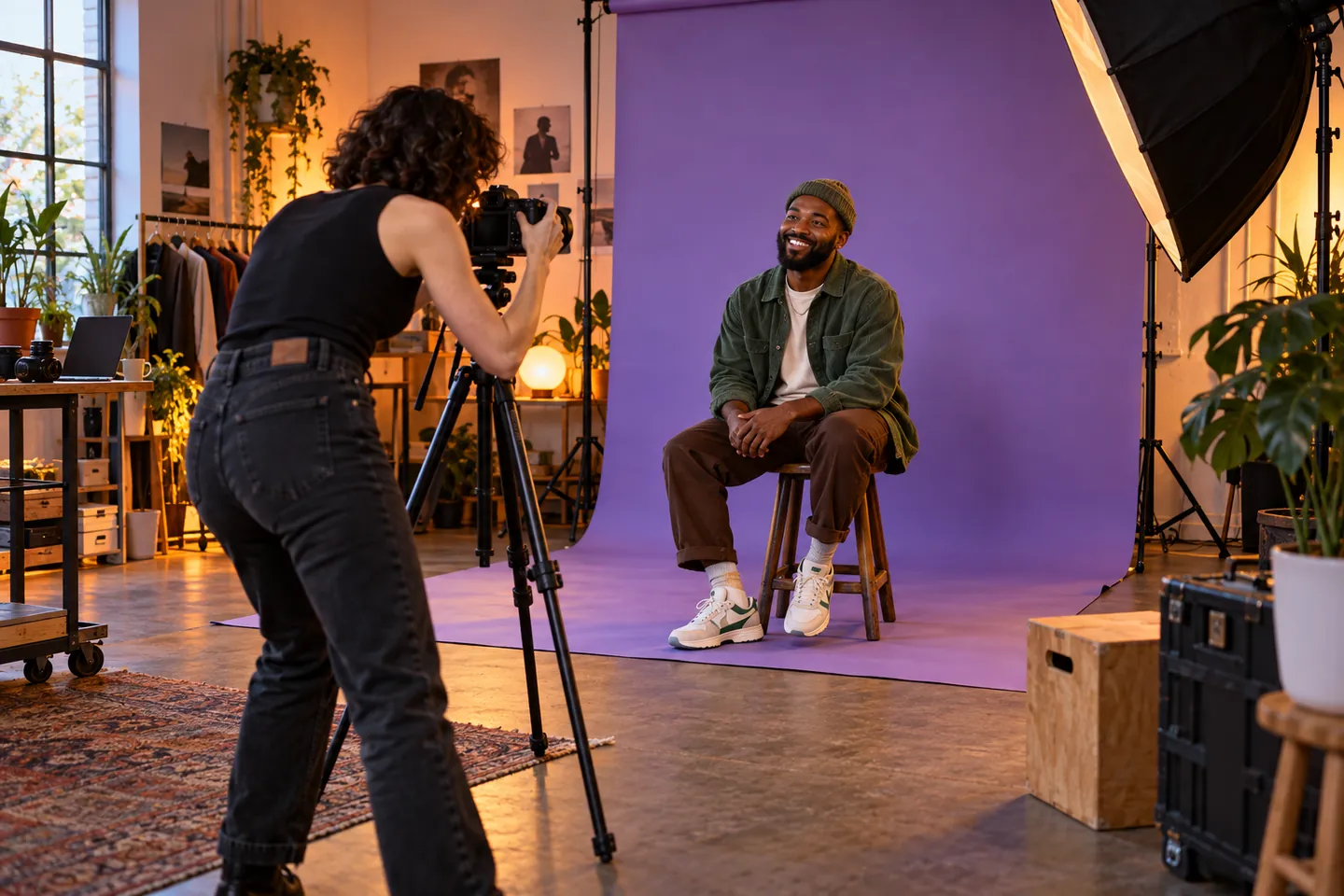
Avoid presenting generated visuals as commissioned photographic work. The editorial cover on this guide is an illustration, not an example of a Muscatine photographer's portfolio. On your own site, the work should accurately represent what you created and can offer.
Do not add invented testimonials or client logos to make a new website look established. A clear explanation of your approach and a smaller set of genuine work is preferable to unsupported social proof.
When editing project text, preserve the facts. Marketing language should not turn participation into sole authorship or a test shoot into a paid assignment. Credibility depends on the relationship between the visual evidence and the story told about it.
Compress images without treating quality as an afterthought
Keep original files separate from web-display versions. The website generally does not need full-resolution delivery files to show a portfolio effectively. Choose dimensions based on the layout and test the result at the sizes people will actually see.
Review compressed images for detail, gradients and color appearance. Different photographs tolerate compression differently. Use a practical file-size target, but do not assume one setting produces the same result for every image.
Load galleries thoughtfully rather than requiring the entire archive at once. The page should communicate its title, context and navigation promptly. A visitor should not wait for dozens of photographs before finding the inquiry route.
Use descriptive alternative text where appropriate and avoid turning it into a keyword list. Image accessibility and honest description are valuable in their own right. The photographer's visual identity should not depend on making the site difficult to use.
Keep the design quiet enough to support the work
Typography, spacing and navigation should help the viewer concentrate on the photographs. A portfolio can feel contemporary without constant motion, disappearing menus or tiny text. The design should not compete with the images for attention.
Check phone crops and gallery behavior carefully. A composition that works in a wide desktop frame may lose its meaning in a narrow card. Provide a sensible way to view the full image without requiring awkward gestures.
Make the inquiry action available near relevant work. A client impressed by a project should not have to hunt through the site for contact details. The action can be understated and still easy to find.
Test keyboard use, visible focus and contrast. A visual profession does not reduce the need for an accessible interface. A clear, usable site supports more visitors and is easier to maintain than one built around fragile effects.
Use SEO to connect images with a service explanation
Give important pages descriptive titles and summaries. Include Muscatine, Iowa where it clarifies the location or travel relationship. Avoid writing every caption as a repeated search phrase; the text should explain the actual work.
Link projects to relevant services and services to the inquiry route. A visitor arriving on a gallery from search should be able to understand the business without returning to the homepage. Those connections also clarify the content structure.
Do not create thin pages for every nearby city or every possible session keyword. A stronger page with real context is more useful than many pages that show the same images and repeat the same promise.
Keep contact and location information current across the website and profiles you manage. If sessions are appointment-only, make that clear consistently. The content hub guide can help organize supporting articles around genuine client questions.
Answer common client questions directly for AEO
Useful questions include how to prepare an inquiry, whether a preferred date is confirmed and how scope is discussed. Start with the answer, then explain the conditions. A prospective client should be able to understand the process without interpreting promotional language.
Google's AI search guidance says established SEO remains relevant and no special additional optimization is required for its AI features. Clear FAQs cannot guarantee AI citations or rankings.
Keep answers consistent with the service pages and automated messages. If the FAQ describes a review process but the form says “session booked,” clarity is lost. Check the whole journey rather than treating FAQ writing as a separate search task.
Use actual inquiry patterns to choose future topics. Questions about preparation, deliverables or location can reveal useful content opportunities. Write the answer that helps a client move forward, not a generic article designed only to reach a word count.
Compare website proposals around a sample assignment
Give providers a scenario: a local business wants portraits for several team members and a small library of workplace images. Ask how the site will help that buyer understand the service and send a useful brief.
This exercise reveals whether the proposal supports the business or simply offers an attractive gallery. Can the client explain intended use and timing? Does the request reach the photographer with the relevant context? Can new projects be added easily?
Separate portfolio preparation, copywriting, forms and private-gallery tools in the budget. Ask what recurring costs exist and who controls the accounts. A low setup price may omit substantial image selection and content work.
Use the website project planner to agree responsibilities. A clear content and approval process reduces revisions and helps an affordable project remain focused on the assignments you want to attract.
Verify a complete inquiry before launch
Ask a test visitor to find work relevant to a business portrait assignment and explain how to inquire. Watch where they hesitate. Missing context or unclear service labels may matter more than a visual detail the designer is focused on.
Submit a test message, confirm delivery and review the acknowledgment. Check that no date or price is implied to be confirmed prematurely. Test missing fields and mobile behavior as well as a successful desktop submission.
Review public page access, metadata, canonical URLs and sitemap inclusion. If replacing an existing portfolio, consider useful old addresses before removing them. These checks reduce avoidable problems but do not promise immediate search visibility.
After launch, review whether inquiries match your intended work. If they do not, reconsider the portfolio emphasis and service descriptions. A useful photographer website evolves through the assignments and questions it attracts.
Discuss a purposeful Muscatine photography website
Gather a curated selection of work, approved project context and a description of the assignments you want. Identify the questions that repeatedly delay your first response. These inputs provide a practical foundation for the website.
Contact Brands Essential to discuss affordable website design and development for your Muscatine photography business. We can explore a fast, clear portfolio that presents the work honestly and helps suitable clients begin a productive project conversation.
Frequently asked questions
Questions, answered
What should a photographer's website include beyond galleries?
Explain the services, intended clients, working process and how to prepare an inquiry. A gallery demonstrates style, but text helps a visitor understand scope, deliverables and the next step.
Should every photograph appear in the portfolio?
No. Curate work that represents the assignments you want and have permission to display. Organize it into meaningful categories rather than publishing an unstructured archive.
Does a photography website need instant booking?
Only when the session is sufficiently defined and availability is reliable. Commercial assignments often need a brief review before a date, scope or price can be confirmed.
Can high-quality portfolio images still load quickly?
Yes. Use appropriately sized compressed display images, preserve originals separately and avoid loading the entire archive at once. Check detail and color after compression.
How do photographers approach SEO and AEO?
Use descriptive project context, clear service pages and direct answers to real client questions. Images alone leave important information unexplained, and optimization cannot guarantee rankings or AI citations.
Can Brands Essential discuss a Muscatine portfolio?
Contact Brands Essential with your work, target assignments and current site for a remote discussion. This guide does not imply a Muscatine office or a local photography client.
Turn your expertise into a site people, and search systems, understand.
Brands Essential combines website strategy, design, development, SEO and answer-engine readiness into one focused build.
Keep exploring
More Website Development ↗
Affordable Website Design in Norfolk, NE: Self-Storage Guide
Plan affordable website design in Norfolk, Nebraska, for self-storage. Clarify unit options, availability, reservation steps, local SEO and customer FAQs.
Read insight
Affordable Website Design in Ottawa, IL: Moving Company Guide
Plan affordable website design in Ottawa, Illinois, for moving companies. Improve estimate requests, service boundaries, mobile journeys, SEO and FAQs.
Read insight
Affordable Website Design in Winfield, KS: Appliance Service Guide
Plan affordable website design in Winfield, Kansas, for appliance service. Clarify supported products, service requests, appointment steps, SEO and FAQs.
Read insight